Suite - Full Desktop Interface
Complete productivity suite with integrated applications
Overview
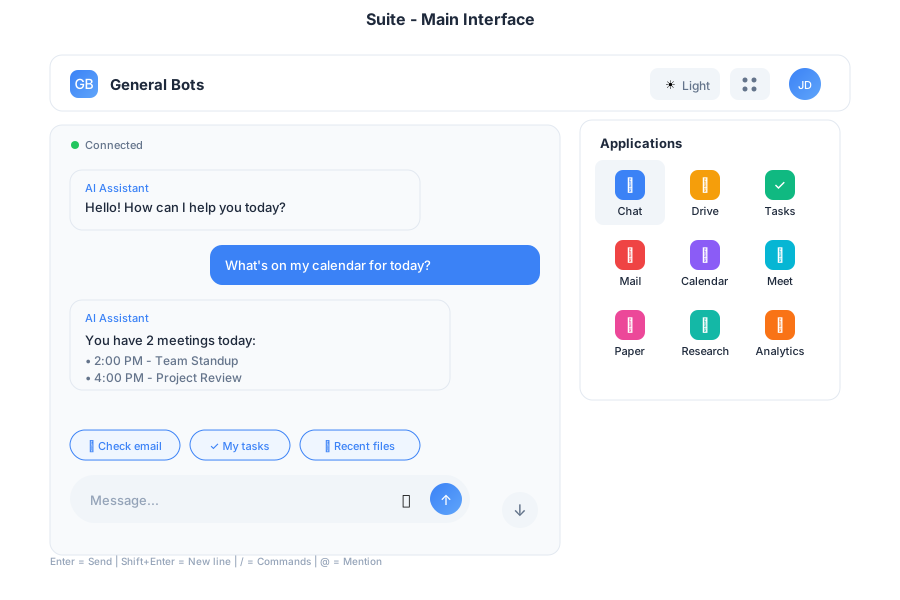
The Suite provides a complete desktop interface with multiple integrated applications for web, desktop, and mobile platforms. It serves as the primary interface for General Bots, combining AI-powered chat with productivity tools.
Features
Multi-Application Layout
The Suite includes integrated applications:
| App | Purpose |
|---|---|
| 💬 Chat | AI assistant conversations |
| 📁 Drive | File management |
| ⚡ Tasks | LLM-powered intelligent execution |
| Email client | |
| 📅 Calendar | Scheduling |
| 🎥 Meet | Video calls |
| 🎬 Player | Media viewer |
| 📝 Paper | AI writing |
| 🔍 Research | AI search |
| 📊 Analytics | Dashboards |
Responsive Design
The Suite adapts to any screen size:
- Desktop (>1024px): Full multi-panel layout with persistent navigation
- Tablet (768-1024px): Collapsible sidebar with touch-optimized controls
- Mobile (<768px): Single column with bottom navigation and swipe gestures
Theme Support
- Light and dark mode
- Custom color schemes via
.gbtheme - Automatic system preference detection
Navigation
Header Bar
The header provides quick access to:
- Logo and branding
- App selector grid
- Theme switcher
- User menu and settings
App Launcher
Click the grid icon (⋮⋮⋮) to access all applications in a dropdown menu.
Keyboard Shortcuts
| Shortcut | Action |
|---|---|
Alt+1 | Chat |
Alt+2 | Drive |
Alt+3 | Tasks |
Alt+4 | |
Alt+5 | Calendar |
Alt+6 | Meet |
Esc | Close menus |
Usage
As Desktop App
Use the botui Tauri application for native desktop experience:
# From the botui directory
cd botui
cargo tauri dev
# Opens Suite in native window
Or build the standalone app:
cd botui
cargo tauri build
# Creates distributable app in target/release
As Web Interface
Default template for browser access:
./botserver
# Browse to http://localhost:8080
# Loads Suite interface
As Mobile PWA
Install as Progressive Web App:
- Open in mobile browser
- Add to home screen
- Launches as standalone app
Example Workflows
Quick Task Creation
File Sharing
Meeting Scheduling
Performance
| Metric | Target |
|---|---|
| Initial Load | < 200KB |
| WebSocket Latency | < 50ms |
| Touch Response | 60fps animations |
| Offline Support | Service worker caching |
Browser Support
- Chrome/Edge 90+
- Firefox 88+
- Safari 14+
- Mobile browsers (iOS Safari, Chrome Mobile)
Configuration
Customize Suite behavior in config.csv:
key,value
theme-color1,#0d2b55
theme-color2,#e3f2fd
theme-title,My Company Suite
theme-logo,https://example.com/logo.svg
suite-default-app,chat
suite-sidebar-collapsed,false
See Also
- Chat App - AI assistant
- Drive App - File management
- Tasks App - Task management
- HTMX Architecture - Technical details
- Theme Customization - Styling